Product catalogue
Search and filter products by supplier, brand and product type. Find the right starting point for each enquiry.

AIRELINK STUDIO · IN DEVELOPMENT
From the first product enquiry to the next supplier purchase.
Explore the tools taking shape inside AireLink Studio.
A look inside the current build. These screenshots show the local development preview, including demo records and unfinished fields. AireLink Studio is in development; the screens do not represent a live deployment.
Search and filter products by supplier, brand and product type. Find the right starting point for each enquiry.
Manage product details, product codes, brands and variations in one product workspace.
Link multiple suppliers to a product, maintain supplier codes and costs, and choose a default supplier.
Manage reusable print and embroidery methods and their pricing alongside your product catalogue.
Create reusable customer choices and show additional fields when an earlier answer makes them relevant.
Configure discount codes with eligibility, product scope, minimum requirements, dates and usage limits.
Find catalogue products, compare quantity pricing and reuse saved product selections to get started faster.
Quick Draft records in this preview include browser-local storage.
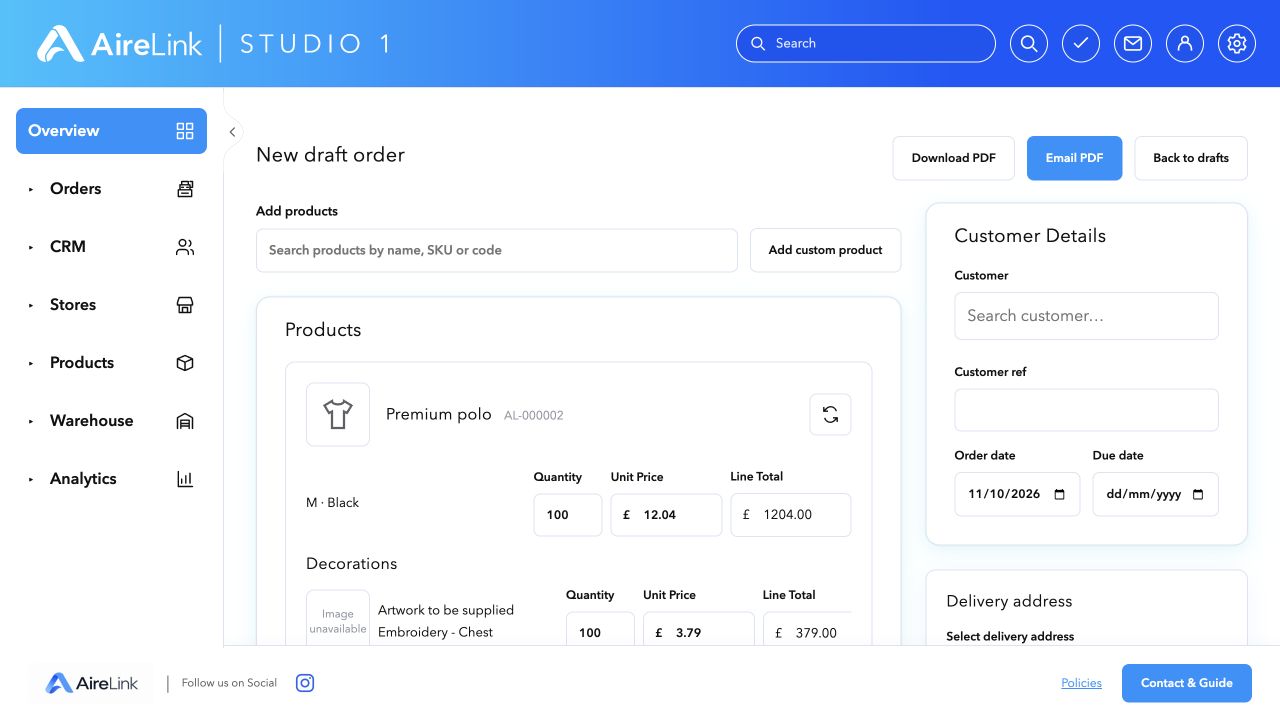
Build variations, quantities, decorations, setup charges, delivery, discounts and VAT totals. Download a PDF or prepare it for email.
Email delivery requires configured provider accounts, a sending domain and a public app address.
Find, reopen and export draft records so an enquiry can be picked up again.
Draft records in this preview include browser-local storage.
Confirmed paid drafts become orders. Search order lists and use status filters to find the work you need.
Live payment transactions were not tested in this capture session.
Set processing status, select suppliers and purchase costs, then raise one linked purchase per supplier without duplicates.
Purchases cover product quantities and costs. Decorations and delivery are not automatically purchased.
Track supplier purchases raised from orders and review their product quantities and costs.
Creating a purchase does not send it to a supplier.
Manage business customers, individual customers, contacts and addresses.
The current CRM preview includes browser-local storage; shared cross-device CRM is not yet verified.
Choose template names, headings, brand colours and defaults. Assign templates to customers and contacts.
Control individual document sections and upload a separate logo for each template.
Configuration controls for Resend email and Stripe, PayPal or Shopify payment links using your business’s own accounts.
Requires provider setup, an email sending domain and a public app address. Configuration screens do not demonstrate tested live payments.
See orders awaiting processing, with a queue connected to stored order records.
Business metrics and target charts currently show sample data.
Organise tasks by priority, assign users, set dates and track completion.
Tasks currently use browser storage. The image shows the matrix view with test entries, rather than a shared live task system.
View priorities in an Eisenhower matrix. Task tools also include a calendar and Pomodoro timer.
Current task previews use browser-local storage.
Manage staff profiles, page visibility and read and write permissions.
The screenshot shows preview users. Production access controls need verification before live use.
THE ROAD AHEAD
Our longer-term direction is a connected CRM, commerce and order-management platform for print, merchandise and e-commerce.
These areas are planned or incomplete. Internal messaging is currently a browser preview; live delivery, presence and read receipts are not connected.
Explore the bigger picture →